Phone: +91-9310885321
 Email: support@learnhub4u.com

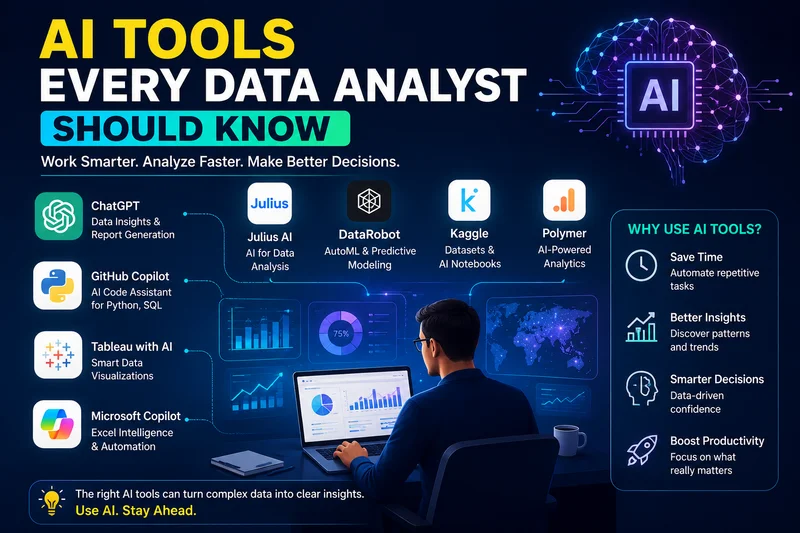
AI Tools Every Data Analyst Should Know
If you are trying to break into data analytics right now, your job feed is probably a mess of mixed signals. Half the posts claim AI is going to take over your field by next year, while the other half tell you that you need to master a dozen brand-new tools just to survive an entry-level interview.
It is exhausting, to say the least. But at Learnhub Education, we tell our students the exact same thing every single week: stop stressing about the hype.
AI is not taking over the analyst role anytime soon. What it is doing is quietly getting rid of the most tedious, mind-numbing parts of the job. You know—the hours spent staring at a broken SQL query because of a missing comma, or trying to remember how to write a complex nested formula in Excel after a long day.
Instead of treating these tools like magic replacements for your brain, think of them as smart shortcuts that clear away the grunt work so you can actually focus on solving business problems. If you want to build a modern workflow that saves you time, here are the core tools genuinely worth your attention.
Starting with the Basics: ChatGPT and Claude
You do not need to drop money on expensive, specialized platforms when you are just getting started. The standard conversational models you likely already have open in your browser tabs are actually incredible coding partners.
When you are learning SQL or Python, you spend a massive chunk of your time stuck on error messages. In the past, that meant digging through ancient forum threads hoping someone else had the exact same bug. Today, you can just paste your messy script into Claude or ChatGPT and ask what went wrong. They won't just point out the syntax mistake; they will break down why it broke so you do not repeat it tomorrow.
They are equally useful when a statistics concept refuses to click. If your textbook definition of p-values sounds like dense academic jargon, ask the model to re-explain it using a real-world example, like sports stats or predicting restaurant rush hours.
Just keep one common-sense rule in mind: never paste sensitive corporate records or raw personal data into public prompts. Use them to debug code, brainstorm, and learn concepts, not to process private datasets.
Faster Exploratory Work with Julius AI
Whenever a fresh dataset lands on your desk, your first task is always Exploratory Data Analysis—or EDA. You have to check for missing values, pull basic averages, and sketch out initial charts just to see what you are working with.
Doing all of that line-by-line in Python takes time, especially if you are still building up your muscle memory for syntax. This is where a tool like Julius AI comes in handy.
You can upload a CSV directly into the workspace and simply talk to it. Instead of writing out a whole Matplotlib script, you can type something along the lines of, "Show me a quick bar chart comparing regional sales over the last six months, and highlight any weird drops." Julius generates the visual almost instantly.
The best part for students, though, is that it lets you inspect the exact underlying code it ran. You get to see how the logic was constructed, which means you can steal that code, tweak it, and learn how to write it yourself next time.
Excel Copilot: Upgrading the Tool Nobody Can Escape
It does not matter how advanced machine learning gets or how popular Python becomes—the corporate world still runs on spreadsheets. Almost every company, big or small, relies on Excel for quick daily decisions.
Microsoft Excel Copilot brings AI right into your grid. Instead of manually dragging pivot tables around or hunting down obscure formulas online, you can describe what you want in plain English. You can ask it to calculate month-over-month growth rates, pull out odd outliers, or highlight key trends in a massive table.
For anyone moving from coursework to an entry-level job, knowing how to use AI inside standard spreadsheets makes you immediately useful on day one.
Reporting Without the Headaches: Power BI Copilot & Tableau Pulse
At the end of the day, your team lead or client does not want to read through hundreds of lines of code. They want a clean visual dashboard that tells them what action to take next.
Creating those dashboards from scratch used to take days of tedious design work. Tools like Power BI Copilot and Tableau Pulse take away a lot of that friction. You can prompt Power BI to draft an initial dashboard based on your dataset, giving you a functional starting point that you can then tweak and polish.
On top of building visuals, Tableau Pulse uses AI to write plain-language summaries directly alongside charts. That means when a line graph suddenly dips in Q3, the system can draft a quick sentence explaining the primary driver behind that drop—saving you from having to write out long email explanations every time you publish a report.
The Reality Check
Here is the bottom line we always emphasize at Learnhub Education: software can churn out charts and calculate numbers all day, but it has zero business context. If you feed an AI bad, dirty data, it will spit out completely wrong answers with total confidence.
The analysts who thrive in the coming years will not be the ones who blindly copy-paste answers from an AI prompt. They will be the ones who know how to ask sharp questions, double-check the logic, and turn plain numbers into a story people actually understand.
Pick one tool from this list, play around with it on your next project, and focus on understanding the logic behind your data. Let the software take care of the busywork.
FAQs:
1. Wait, is AI actually gonna take my job before I even get hired?
Nah. Look, AI can spit out code and do basic math in seconds, but it has zero idea what any of it actually means for a real business. It doesn't know if a number looks weird because of a holiday promotion or a glitch in the server. At Learnhub Education, we tell everyone the same thing: AI handles the boring, repetitive stuff so you can focus on making sense of the data.
2. Should I start with SQL or Python? I can't decide.
Start with SQL. Hands down. Almost every single company stores its data in SQL databases. If you can't pull the data out, Python isn't gonna do you much good anyway. Once you get the hang of basic SELECT statements and JOINs, picking up Python gets way easier.
3. How do I use ChatGPT without getting lazy or dependent on it?
Use it like a tutor, not a ghostwriter. When your code crashes and throws a giant error message, paste it in and ask why it failed. Don't just copy the fix without reading it. If you let it write everything for you, you'll freeze up the second someone asks you to explain your work in a technical interview.
4. Do people still use Excel, or is it totally outdated?
Excel isn't going anywhere. Honestly, half the business world still runs entirely on spreadsheets. Managers love Excel because they already know how to read it. If you know how to use AI tools alongside Excel to build quick models, you'll be miles ahead of most applicants on day one.
5. How do I know if an AI gave me a totally wrong answer?
You have to run quick sanity checks. AI tools write with 100% confidence even when they are making stuff up. Always check the raw totals—if your dataset only has 500 rows and the AI claims one category has 1,200 entries, you know it hallucinated.
6. Do I need a crazy expensive laptop to run these AI tools?
Nope, not at all. Tools like ChatGPT, Claude, Tableau Pulse, and Julius all run in your web browser on cloud servers. As long as your laptop can open Chrome and stay connected to Wi-Fi without crashing, you're totally fine.
7. What does Power BI Copilot actually do for beginners?
It saves you from starting with a blank screen. Instead of dragging boxes around for hours trying to make a dashboard look decent, you tell Copilot what you want to track and it builds a rough draft layout for you. Then you just fix up the formatting and tweak the visuals.
8. I feel totally overwhelmed by all these tools. What should I do today?
Take a deep breath and pick just one thing. At Learnhub Education, we always tell beginners to start small: spend an hour writing basic SQL queries, and use ChatGPT to explain any syntax errors you hit. Don't worry about learning ten different AI platforms at once. Just build momentum one step at a time.